Choices sheet
This sheet is used to define the dropdown menus categories to be used for categorical variables, or the possible values for “choice_formula” type variables.
Rules
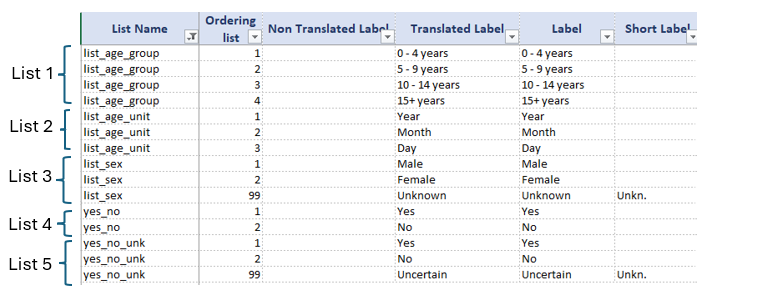
- a list is made of several consecutive lines
- a line represents one value of a given list, and correspond to one item of the associated dropdown menu
- different lists are written one below the other
- you can define as many lists as needed
List Name
This is a free text field used to define a dropdown list. Lines with the same name filled belong to the same list. This name is used in the Dictionary sheet to identify the dropdown list to be used for a given variable, in the Control details column.
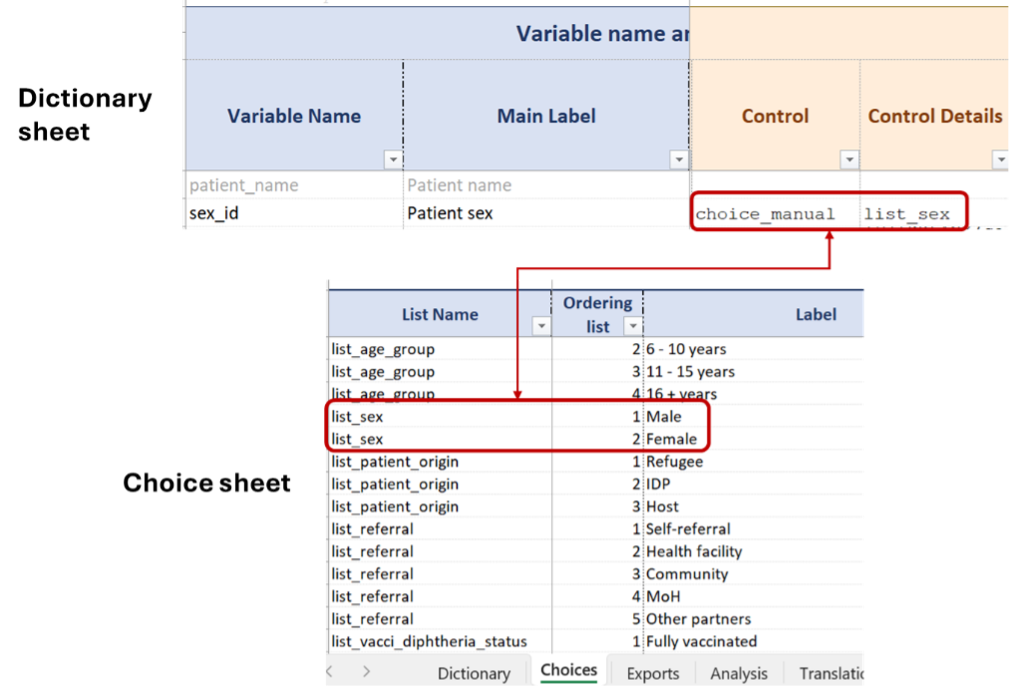
It is not mandatory, but we advise that you begin all your list names by “list_” to easily separate them from variable names in the dictionary.
With the exception of lists used for “choice_custom” type variables, it is recommended not to leave any blanks in the list name. Instead, replace them with “_”, for example.
Ordering list
This is a free text field. Fill in integers to define the order in which the options are displayed in the dropdown menu.
Non Translated labels
This column consists of non-Translated labels which means that translating them would be pointless or wrong and examples include country names.
Translated labels
This column contains labels that are translated and they imported into the translation table.
Label
The Label column contains a formula that looks at the translated and non-translated columns and takes the non-empty value (the translated column takes precedence).
Categories names should not begin with a “<” or a “>”.
Short label
This is a free text field in which you can enter a shortened version of the label, to be used in the Case Report Form generation tool in the linelist, to make the CRF more condensed.
Example
In the setup file:
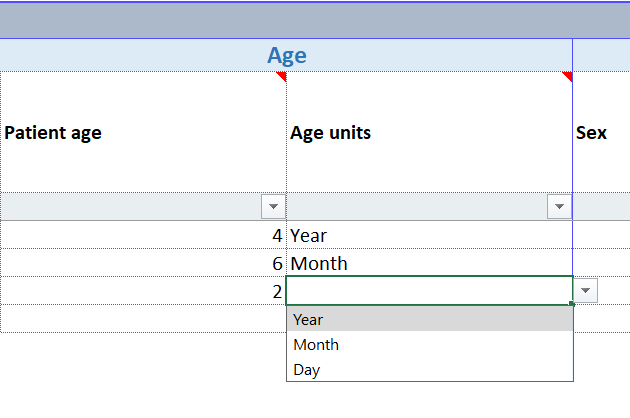
In the linelist, for the age unit column: